Vehicle condition reports: what to record at pickup and return
Six things that settle a dispute at return. For each one, we show how the tablet in OneRental records it.
30 days free, no card needed. We move your fleet and bookings in for you.
No damage is recorded. If you spot something, tap that spot on the drawing.
Walk round the car with the customer and show them every marked spot.
Who picks up, and with which documents
First, the people: who picks up, who drives, their date of birth and licence expiry.
In OneRental. The pickup does not start until the checks your company sets are ticked.
What the tablet will not let through
The pickup stops if insurance or inspection has expired or the car is still out.
Handover RES-1036 · Ford Focus. Check who collects and look at the money.
- You set the checks in the pickup settings.
- Payment does not block the pickup.
Odometer and fuel, or engine hours
You record what the return is compared with: kilometres or engine hours, fuel or battery.
In OneRental. The form asks only for what each unit has.
 Ford Focus


- At return, both readings sit side by side.
- Extra kilometres and missing fuel become fees automatically.
Equipment, item by item
Each equipment item gets one of three states: present, missing or damaged.
In OneRental. An item missing at return becomes a fee at the price on the list.
- Equipment · Passenger car
- Warning triangle£8.00
- First-aid kit£12.00
- Fire extinguisher£25.00
- Hi-vis vest£4.00
- Spare wheel£90.00
- You set the list once per vehicle type.
- One button marks everything present.
Damage: where, what, a photo
A good damage record shows the spot on a drawing, its kind, severity and a photo.
In OneRental. You tap the drawing, choose the kind and add up to 6 photos.
No damage is recorded. If you spot something, tap that spot on the drawing.
Show the customer every marked spot. Something new? Tap that spot on the drawing.
- Damage stays on the drawing until marked repaired.
- Cars and vans have an inside drawing too.
The rental agreement and the renter’s signature
The agreement takes its details from the booking and ends with your general rental terms.
In OneRental. The renter signs with a finger on the tablet and gets the PDF by e‑mail.
- We store exactly the version the renter saw.
- Agreements use your company’s language, English or Polish.
Return: compared with pickup
At return, the difference counts: kilometres, fuel, missing items and new damage.
In OneRental. The tablet puts pickup and return side by side, with the fees already calculated.
- Fix a wrong reading and the fees are recalculated.
- Waive a fee by giving a reason.
More features
- Booking siteYour own site that takes bookings at any hour.
- Booking widgetsBookings on the website you already have.
- Pricing and ratesSeasons, weekends and promo codes, one price everywhere.
- E-mails and notificationsRenters and your team know what comes next.
- ScheduleThe whole fleet on one timeline, no double bookings.
- Fees and depositsFuel, kilometres, lateness and the deposit settled at return.
- Fleet and serviceInspections, insurance and service for every unit.
- Team and tasksEveryone on the team sees their day.
- BranchesSeveral locations in one system.
- Reports and dashboardToday’s dashboard and reports you can export to CSV.
Questions about pickup and return
Yes. The renter signs with a finger on a tablet or phone: the rental agreement at pickup, the return report when the vehicle comes back. We store exactly the version they saw.
Yes. You write your general rental terms once in the settings, and they are attached to every agreement the renter signs at pickup.
Up to 6 per damage record. You can also require at least one photo before a pickup or a return can be completed.
The tablet stops the pickup. Only a manager or the owner can hand the vehicle over anyway, and they have to give a reason, which is recorded with the pickup.
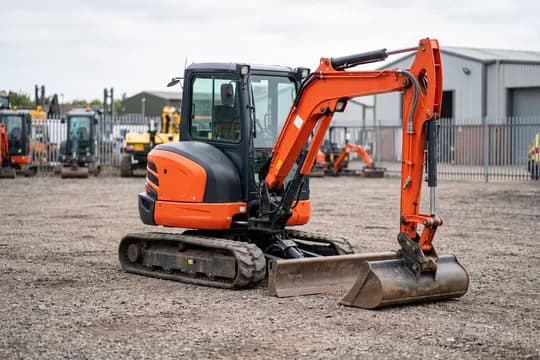
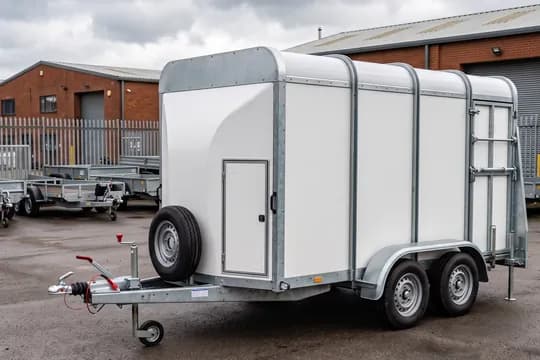
Yes. The form asks for what the unit has: engine hours on an excavator or a boat, the battery on an e-bike, and no meter at all on a trailer. The damage map has 15 drawings, from a car to a combine harvester.
After pickup, an e‑mail with the mileage at pickup and the rental agreement as a PDF. After return, an e‑mail with the return report and the receipt.
A tablet or a phone, in the browser. You can add the app to the home screen like any other.
From the Starter plan, together with the damage map, the PDF agreement and the return fees.
Try OneRental with your own fleet
30 days free, no card needed. We move your fleet and upcoming bookings in for you, at no extra cost.
Tell us what you rent
We'll answer any question about OneRental. Tell us how much you rent out and how you take bookings today, and we'll answer about your business specifically.